‘Kingdom Rush 6: Genesis TD’ is out now for PC and mobile
Press release:
Montevideo, Uruguay - 24 September 2026 - Ironhide Game Studio today announced that K[...]




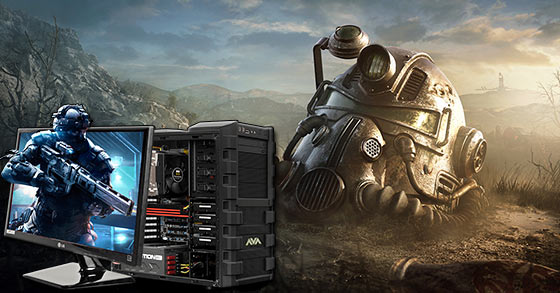
PC gaming provides a great way to entertain yourself and relax your mind after an engaging daily tasks. I mean, it always feels good to sit in front of the screen and solve a new challenge to advance to the next level or unload brand-new features of the game.
However, with the computer games constantly upgrading, your game play may slow down and become frustrating as you progress in the game. For this reason, you need to optimize every element of your gaming to enjoy long hours of fun and to keep gaming speed high at all times. Before we get to what you need to improve your gaming experience, it is important to first appreciate the benefits of PC gaming.
Reasons to Play PC Games
Most people view PC gaming as just a way of killing time and having fun. While this standpoint is true, there is more than just that. Some of the benefits of gaming include:
– Keeps your mind active to prevent mind decline.
– Improves visual ability and memory.
– They increase your problem-solving skills.
– Improves multi-tasking skills.
– Reduces chances of stress.
Being this important, it is imperative for gamers (both part-time and full-time) to learn tactics to keep the gaming spirit high as it should be.
Tips to better your PC Gaming experience
– Know your hardware specifications and capabilities – It is important for every gamer to invest in a powerful and high-speed PC to enjoy the best moments. PCs comes in different maker models, which vary in terms of processing speed, RAM and many other elements. You need to understand the components of your machine and adjust the settings to optimize the performance of the process and video card.
So if you are looking for an extraordinary gaming prebuilt, make sure to check out this list.
– Regular PC Maintenance – PC maintenance includes defragmentation, installation of old and unused programs as well as removing of malware and viruses that could slow your PC.
– Routine Clean Startup – This is used to prevent programs and services that are automatically launched during boot up. It is important to optimize CPU and RAM usage during play time.
Hardware Modifications
– RAM / CPU and Graphic Cards – You need to invest in components that are higher than the game’s minimum system requirement. A gamers PC should at least have 8GB RAM, 2 GHz processor and the best-quality graphic cards to ensure uninterrupted game time.
– Update the Drivers – Keeping your drivers up to date is critical. Fortunately, updating drivers nowadays has become simple and seamless. You only need standard OS updates most of which are free and automatic while connected to the Internet.
Playroom improvements
– Invest in Quality Gamepad – Luxury matters when it comes to gaming. Apart from saving your keyboard and mouse from wear and tear, quality gamepads give you more comfort and comfort and are also easy to handle.
– High-tech PC Gaming Upgrades – There are a number of accessories that would take your performance in the gaming arena more exciting and convenient. You can invest in quality external speakers, a big monitor for quality projected display and a mouse stand to add convenience to your gaming. Though these components may be expensive, they are worth the price, if you need to benefit from a quality gaming life.
– Have the best Gaming Chair – Another important aspect of your gaming is where and how you sit. For a serious gamer, a quality gaming seat is as important as the other gaming accessories. It gives you the best posture while playing and offers comfort while you sit for hours without developing any health complications such as back pain and dead legs. In the market today, there is a wide variety of gaming seats in different sizes, color and design among other features. When choosing a gaming seat, it is important to consider several factors including the quality, usability, price and additional features.
So if you already have your gaming hardware ready and are in search for a quality seat for your play room, you can have a look at some of the best bean bag sofa and choose the one that serves your needs and makes your room look amazing.
Sofa bean gaming seats are preferred for they are affordable, flexible and maximum comfort, which is important for your physical well being.
More by Guest Author:
Tags: Computer hardware, Gamer, Gamers, Gaming, PC games, PC Gaming