‘Escape The Backrooms’ is dropping new levels this December (2026)
Press release:
Level 0, The Backrooms – 8 October 2026: Surprise! Escape the Backrooms, the viral co[...]





Most of the people grew up with such video games as Pac Man, Tetris, or Super Mario. These retro games are part of our sweet childhood times. Would you like to play those video games right now when you are already grown up?
If you feel nostalgic, it is definitely a good idea to play old-style games. Paying old video games is fun, but they can be hard to come by. The best solution is to play Emulator games directly on your computer.
In the following post, you will discover various game emulators for consoles from childhood times.
Such emulators can quickly turn your PC into a console and allow you to play any retro video game. Note that it is absolutely legal to use emulation programs and websites

Retroarch is supported by Linux, Windows, Mac OS X, and other mobile devices.
RetroArch is a powerful emulator, which can run old-style video games from every old console. Users can run even Playstation 1 video games and even older ones. As for the handheld consoles, it supports such video games as Game Boy Advance games and older ones.
The RetroArch emulator is mainly based on cores. Every core emulates a particular console. That is why GBA or NES have their own cores. It is very practical because new emulators appear all the time. You can turn them into cores for further running on RetroArch. You can run RetroArch even on modern consoles.
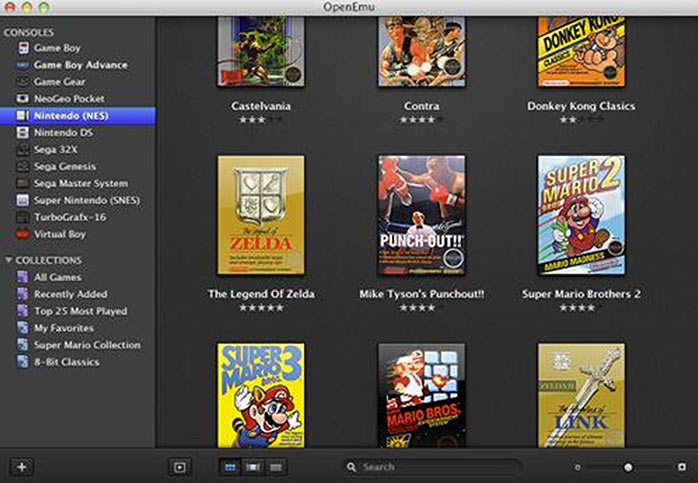
OpenEmu is supported by Mac OS X.
OpenEmu is a specialized emulator, which provides Mac-like experience. It has a big library of video games, which looks very similar to iTunes.
This emulator will help you keep the collection of video games always well-organized. When you use the default download, it will stimulate a smaller amount of consoles as Retroarch, but they offer an experimental version, which gives better results.
You should try OpenEmu if you use a Mac and a have many different old-style video games. Your game collection will be managed with a well-organized front-end. It allows us to give the names to the games and have electronic access to them.
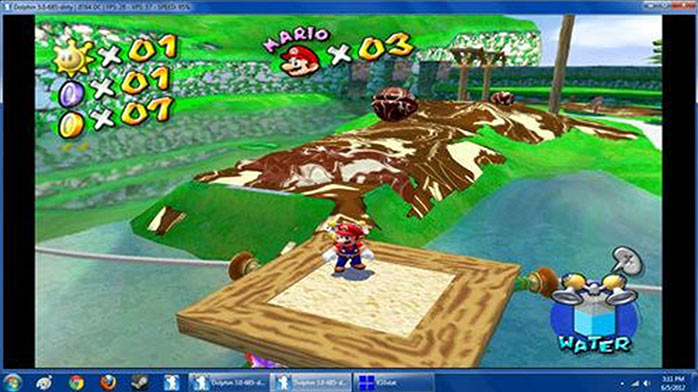
Dolphin is supported by Linux, Mac OS, and Windows
Dolphin is a special and the only one emulator, which can emulate the 7th generation console. It does the job smooth thanks to the same internals as the GameCube.
So using this emulator, you will boost the compatibility rating. You can run both new and old video games on it without any arising issues.
Furthermore, with this emulator, you can run the GameCube games on a full screen. Dolphin is under development all the time. Now users can tap into Nintendo Wi-Fi Connection. Stay updated to their latest improvements.

PCSX2 is supported by Linux and Windows
No one can deny that the PlayStation 2 is top-selling console in the world. If you PCSX2, you get access to its vast collection of video games.
The only problem with this emulator is that it requires having quite a powerful PC. It is worth buying on because it can run all the video games, which are available on the platform.
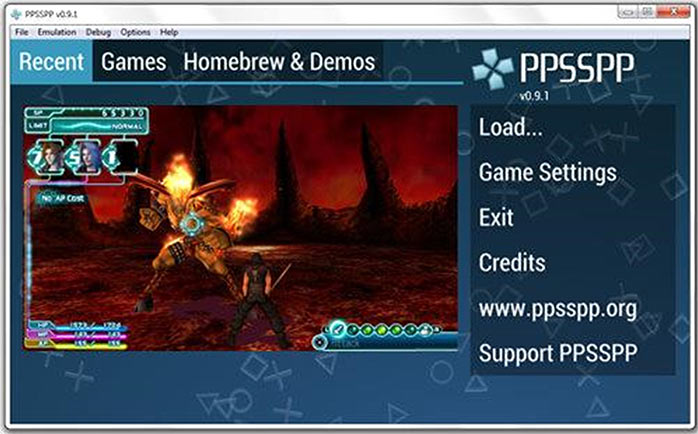
PPSSPP is supported by Windows, Linux, Mac OS X, and other mobile devices.
PPSSPP (PlayStation Portable Simulator Suitable For Playing Portable) is quite a newly created emulator, which is designed to run PSP games.
PPSSPP is created by Dolphin’s co-founder. Similarly to Dolphin, this emulator is easy to set up. Using it, you can play a lot of your favorite PSP games.
PSP saves can be transferred into this emulator. The work on improving the emulator and its features are still in process. The developers do not stop adding new fixes.

DeSmuME is supported by Linux, Windows, and Mac OS X.
If you want to play Nintendo’s dual screen console on your PC, you should use DeSmuME.
It allows using both screens, which are simulated on your PC monitor. Your mouse will work as the stylus. DeSmuME supports various video games, which require your device sideways.
The development of the emulator does not stop. New features are continuously added. The emulator runs smoothly, without any problems. Note if you have the Linux version, it will have to be self-compiled.
Conclusion
Emulators allow us to play all the retro video games online. You will find your favorite games, such as Super Nintendo, SEGA, Game Boy, N64, Nintendo DS, and even Neo-Geo Games.
All games are in high quality! Find your perfect game for countless hours of fun. If you can recommend additional emulators, let us know in the comments below.
***Sponsored by emulatorgames.online***
More by Guest Author:
Tags: Emulators, Gamer, Gamers, Gaming, Old games, Retro games, Video games