‘Red Kiss’ is coming to XBOX and Game Pass on day one
Press release:
October 20, 2026 - As revealed during IGN x ID@XBOX, indie developer Wispfire and nar[...]




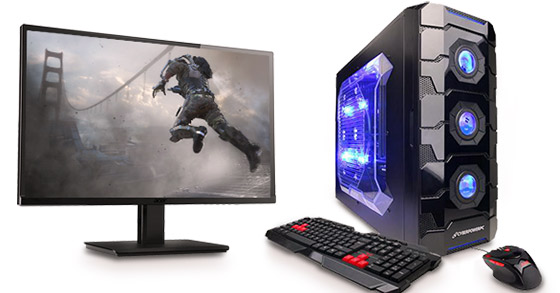
Are you a PC gaming fan? Do you think that the PC gaming world is the best entertainment you would never give up on? Does your PC or laptop slows down badly and kills your peppy gaming mood? Doesn’t it load on time? Does it have a bad resolution? Do you want to configure a high-end gaming-friendly PC?
If the answer is yes, and you find it tough to invest in a whole new PC but can also not give up playing your favorite online games. Then you can now feel happy because you can easily upgrade your existing PC to an advanced gaming PC with few add-ons to increase the configuration and to make it support the gaming requirements.
Then read this article fully to know about those add-ons and other changes that you can make to your PC/laptop and make it gaming friendly.

A really good Gaming monitor is a must have if you want to get a great PC gaming experience.
Choosing the right monitor is the basic step to enjoy the complete feel of an online game. There are exclusive gaming monitors that provide instant support to your games, regardless of the high graphics and videos of the game.
A gaming monitor must have high-speed response rate, high-resolution, and higher pixel ratio. High-end gaming monitors come at affordable prices too; however, you must find the best dealer to purchase it from. Then you can check out the latest monitor (and other gaming related hardware collections) from websites such as GamingRig.

A new and powerful motherboard could give your current PC a much-needed power boost.
A high-quality processor always supports high-end graphically advanced games and so investing in an advanced and latest motherboard is certainly worth it. When buying a motherboard, specifications that you must look in for include compatibility, high-end processor, dual memory channel and DDR3 memory.
This will help gamers like you to enjoy a great visual experience. Motherboards that come with a graphics card slot, and dual RAM slots have a high advantage for latest games. Investing little more amounts will help you convert your motherboard to an advanced onboard cooling feature. These specific motherboard features will make your normal PC to an advanced gaming support PC. So the more you invest in a processor, the more output you can enjoy while playing your favorite games on your preferred PC.
Other essential investments could be something like a gaming mouse, gaming CPU, etc., which would keep adding up to your overall gaming experience. A powerful PC needs a powerful CPU and gaming with the latest trends will certainly need it too. When it comes to adding up to your gaming rigs collections, all you need to bother is about your budget, because there are options available to match up to any level of budgets.
Configuring a gaming friendly PC is tough without any technical knowledge, so either you must have the self-skill or team up with someone who can provide you the exact technical knowledge that is needed to configure a high-end gaming friendly PC.
Nevertheless, if the interest to play exciting games and the budget is there, then there are plenty of different choices to pick from when it comes to Gaming rigs on the market.
Furthermore, be sure to visit Fierce PC for all your gaming needs 😉

Robin “V-Act” Ek
Editor in chief
The Gaming Ground
Twitter: @TheGamingGround
More by Robin Ek:
Tags: Gamer, Gamers, Gaming, Gaming PC, PC Gamer, PC Gaming