‘Red Kiss’ is coming to XBOX and Game Pass on day one
Press release:
October 20, 2026 - As revealed during IGN x ID@XBOX, indie developer Wispfire and nar[...]




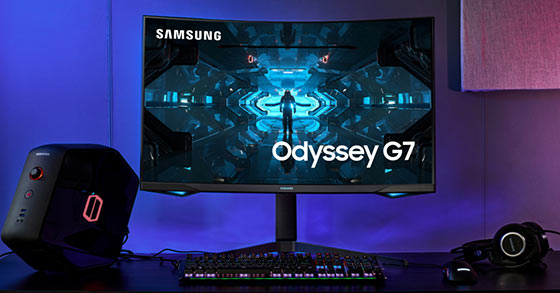
If you are in the market for a gaming monitor, you will find a lot of options available and choosing one is really difficult. There are many features and understanding each one is not everyone’s cup of tea.
To make shopping for a gaming monitor easy, we have come up with the following tips, just go through and it will help you choose wisely:
Screen Size and Resolution:
Bigger is better is not really true for gaming. Bigger is better is great for television but when it comes to gaming monitors for FPS, for MOBA or MMO, the ideal size is 24 or 27 inches. The reason being you will be around 3 feet away and a larger monitor will not allow you to look at the screen completely. Whereas a 24” or a 27” monitor will be perfect as you can immerse yourself completely into the game.
A large screen can also cause headaches when you view it from just 3 or 4 feet away. Having said that, larger screens seem to have caught the imagination of gamers and quite a few are experimenting with very large screens.
So if you want to experiment you can try a large screen but if you are going to be seated just 3 to 4 feet from a screen, you should opt for a 24”-27” screen size.
The screen resolution is very important when it comes to gaming. If you want high resolution it can have a bearing on your gaming performance. The most common resolution for gaming is 1080p but nowadays a lot of gamers have started using 1440p or 4K.
Flat or Curved Monitors:
Flat monitors have been around for a long time whereas curved monitors are a relatively new phenomenon. Flat screens are available in both wide an ultra-wide screens.
Flat screens have great response times and better refresh rates. The disadvantage of wide screens is the black bars in the sides when you are playing games that are not created to be played in wide screens. However, when it comes to pricing, flat is relatively cheaper than curved monitors.
Curved monitors come in 4000r, 3000r and 1800r measurements. The ‘r’ defines the curve and the lower the number the more the curve. If you play in an 1800r curved monitor you will find that it has more curve than the 4000r one. Curved monitors are good for the eyes as they mimic the world around us. You also have a better immersive experience when you use a curved monitor.
Panel:
There are three types of panels mainly the IPS, VA and TN. IPS is considered to better than the other two because it has better colour, you can view better from all angles, it also has a longer lifespan when compared to the others. It is also costlier than the other two panels.
TN panels are cheaper than the other two but the colour consistency is not as good as the IPS panel. However, TN panels have good response rates and hence considered ideal for gaming.
The VA panels are better than TN but slightly on the lower side when compared to IPS. However the slow response rates is a problem, though it is considerably cheaper than IPS panels.
Overall, these tips should help you decide on the best gaming monitor for your needs.
***Sponsored post by letbuybest***
More by Guest Author:
Tags: Gamer, Gamers, Gaming, Gaming monitor, PC Gamer, PC Gaming, Video games